
About this app
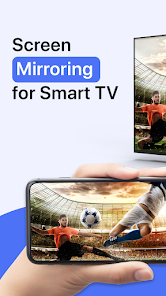
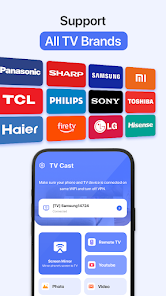
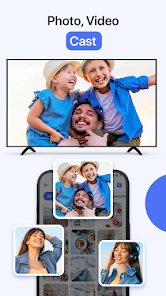
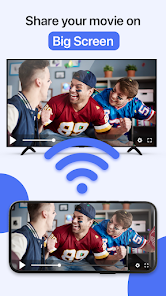
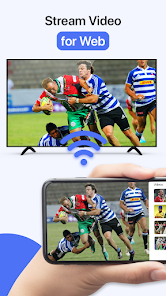
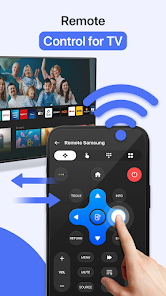
Are you looking to enhance your viewing experience by sharing your favorite content on a larger screen with friends and family? Cast to TV & Screen Mirroring allows you to effortlessly project your cherished online and local videos, music, and images onto a bigger display: be it a TV equipped with Chromecast, Roku, Amazon Fire Stick or Fire TV, Xbox, Apple TV, or other DLNA-compatible devices. Embrace the ease of streaming videos & movies on a larger screen with TV Cast! Cast to TV & Screen Share is a solution for the tired of straining your eyes on a small phone screen. It's perfect for activities like Samsung screen mirroring, where you can easily access your games, photos, videos, and other applications on a big screen. The screen mirror feature replicates your mobile device screen on your smart TV in real-time, making it perfect for group activities. If you're weary from squinting at your small phone screen, Screen Share and Cast TV offer a splendid solution by linking your phone to a TV, enhancing your viewing with a magnificent big screen experience. Transform your gaming, photo viewing, video watching, and app usage by magnifying them on your TV screen through this intuitive Screen Share and Cast to TV application. Sharing your mobile screen has never been more seamless, making group entertainment a breeze with Cast to TV. In search of a reliable way to magnify your phone's screen? The Screen Share - Cast TV application stands out as an ideal solution for displaying your phone's content on a TV. Its versatility ensures a seamless experience both at home and on-the-go. Dive into immersive gaming on a large display with ease. The Screen Mirror - Cast TV app is ingeniously designed for effortless control over all your casting needs. Share your favorite local videos, images, and music tracks on the TV with a few taps. Compatible with a variety of devices, including Chromecast, Roku, Xbox, and various smart TVs, this app guarantees a powerful and versatile screen sharing experience. Cast TV offers a secure link, safeguarding your data, files, and apps. It simplifies the process of mirroring your screen and sharing enjoyable content with loved ones. Discover the potential of Screen Share today! With the TV Cast feature, stream or surf any video content directly on your Cast Player, from web videos to live streams, as well as your personal photos, videos, and music selections. Control and choose content from your phone with the Screen Share - Cast TV app for a tailored entertainment experience. To ensure optimal functionality of Screen Mirroring and Cast TV, connect all devices to the same Wi-Fi network. This app aids in scanning & mirroring your Android phone or tablet screen onto your smart TV/Monitor, offering a seamless integration of mobile and large-screen viewing with the Cast TV - Screen Share application. 📺 Compatible devices include: - Chromecast - Roku devices and Roku TVs - A variety of smart TVs such as Hisense, Samsung, LG, Sony, Panasonic, and TLC - Xbox, Amazon FireTV, and Fire Stick - Other DLNA-supported devices 💡 Key features of the Screen Share - TV Cast app: - Quick and easy phone-to-TV connection. - Screen Mirroring everything from your phone to your TV effortlessly. - Manage your viewing with convenient controls for volume, play, pause, and video seeking. - Cast photos and videos for a shared viewing experience. - Stream music and enjoy gaming on your smart TV. - Easy access to YouTube and IPTV. - Smart TV remote control functionality. - Swift file navigation and recognition. 🚀 How to use TV Cast: - Ensure your phone and the casting device are on the same Wi-Fi network. - Activate Screen Share and Wireless Display on your TV. - Choose your device from the list. - Relish in Screen Mirroring every game, image, video, or audio piece to your TV. ⚠️ Disclaimer: This application is not associated with Google or any other mentioned brands.
Data safety
Safety starts with understanding how developers collect and share your data. Data privacy and security practices may vary based on your use, region, and age.
Ratings and reviews
What's new
Bug fixes and performance improvements for a better user experience.