
About this app
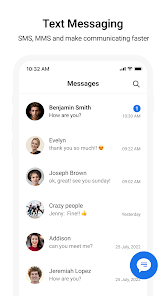
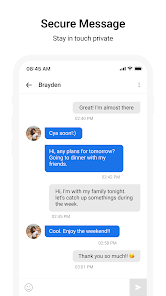
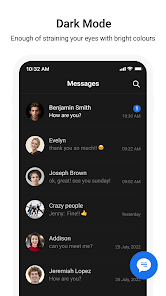
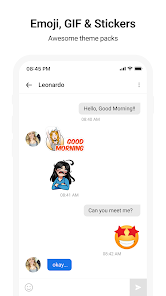
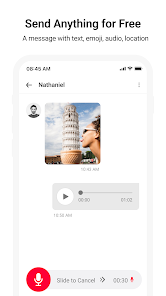
Messages – Fast & Secure SMS & MMS App Stay connected with your loved ones using Messages, a reliable and secure text messaging app designed for seamless communication. Whether you're sending SMS or MMS, Messages makes it easy to share texts, photos, stickers, and more. Key Features: ● Send SMS and MMS: Enjoy fast and efficient messaging to all your contacts. Requires an active mobile network connection. ● After Call Actions: Quickly reply to messages, set reminders, or check missed messages during and after a call. ● Location-Based Notifications: Get notified to send messages when you arrive at or leave specific locations. (Requires user permission for location access.) ● Customization Options: Personalize your chat experience with customizable themes, backgrounds, and chat bubbles. ● Spam Protection: Block unwanted SMS and stay free from spam messages. ● Backup and Restore: Safeguard your conversations with easy backup and restore options. ● Scheduled Messaging: Plan and send messages at the right time with the built-in scheduler. Simple, Smart and Secure: ● User-friendly interface designed for effortless navigation. ● Supports multiple languages for global users. ● Privacy-focused: Your messages remain private and secure. Why Choose Messages? ● Lightweight and fast messaging app for all Android devices. ● Compatible with dual-SIM phones for easy management. ● No internet required for SMS functionality (requires carrier network). Permissions Required: ● Location Access: To enable location-based message notifications. ● Contacts Access: To identify and send messages to saved contacts. ● Call Log Access: To enable After Call Actions (used only to enhance functionality). Note: All permissions are optional and used solely to enhance the app's features. Users have complete control over their data and can revoke permissions at any time through their device settings.
Data safety
Safety starts with understanding how developers collect and share your data. Data privacy and security practices may vary based on your use, region, and age.
Ratings and reviews
What's new
Bug fixes and performance improvements for a better user experience.